Option Volume, Delta Flow, and Unusual Option Flow (UOF)
BigShort's Option Flow group holds more than the core Net Option Flow pane. Three companions sit alongside it — Option Volume, Delta Flow, and the Unusual Option Flow (UOF) overlay — each looking at the same options tape from a different angle. This guide covers those three, starting with Option Volume, the simplest and most traditional of the three and the baseline the other two build on. For the flagship Net Opt Flow $ pane, NOFA (the golden aggregate line), the Martian variant, and the Net Unusual Premium bars, see the dedicated Net Option Flow guide instead — this article does not repeat them.
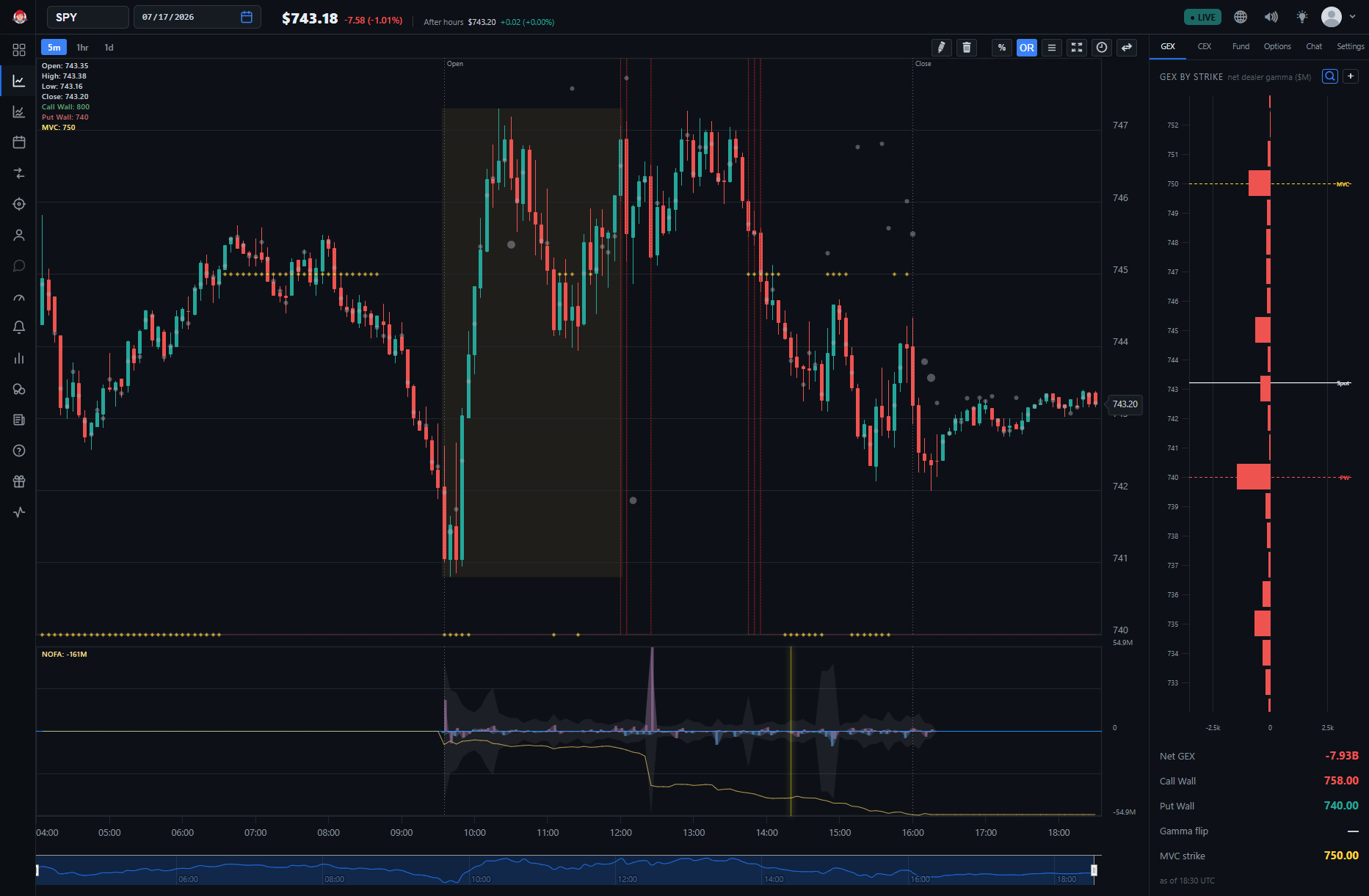
You'll find all three under ⚙️ Settings → Option Flow on the main chart (app.bigshort.com/chart/SPY). On the UF Chart, only Option Volume is available — Delta Flow is disabled there, and the UOF overlay is absent. These chart panes are also distinct from the OptionFlow tab, which is a live table of notable options trades rather than a chart overlay.
Option Volume
Option Volume is total call vs. put option activity per bar, drawn as two directly comparable lines.
This is the most traditional of the three. It does not separate buying from selling, and it does not weight by premium or delta — it simply counts total call activity against total put activity, bar by bar, as two lines you can read side by side. That makes it the plain-volume baseline that BigShort's flow indicators are built to improve upon.
How to read it
- Two comparable lines. One line tracks call activity, the other put activity, on the same scale — so the relationship between them is immediate.
- A raw-participation read. Because it counts all activity without a buy/sell sign, Option Volume tells you how much is happening in calls versus puts, not which direction the money is leaning. For direction, turn to Net Option Flow and Delta Flow.
⚙️ Why keep a raw-volume line at all? The Net Option Flow guide explains the limits of traditional option volume — it treats a buy and a sell identically, and a penny contract the same as a ten-dollar one. Option Volume is exactly that traditional measure, kept in the pane as a reference point. It's most useful for gauging overall call-vs-put engagement and for spotting bars where activity itself is unusually heavy, before you interpret direction with the signed panes.
Delta Flow
Where Option Volume counts activity without a direction, Delta Flow signs it — weighting option flow by each trade's stock-equivalent (delta) exposure, so trades carrying real directional exposure count for more. Each side keeps its own buy/sell sign; the gold tally nets calls against puts.
Where the core Net Option Flow pane weights trades by dollar premium, Delta Flow weights them by delta — the option's share-equivalent exposure. That's a meaningful difference. A large premium spent on far-out-of-the-money or very-short-dated contracts can carry little actual directional exposure, while a position built in higher-delta contracts moves the underlying's effective share-equivalent far more. Delta Flow leans the pane's emphasis toward the trades that actually put directional exposure on the book.
How to read it
- Each side keeps its own buy/sell sign. Just as in Net Option Flow, buying points one way and selling the other, and calls and puts are shown separately — so you can see which side of the market is accumulating real directional exposure.
- The gold tally nets calls against puts. This is the single line that summarizes the pane: it subtracts one side's delta-weighted flow from the other, giving you a running read of whether delta-weighted exposure is tilting bullish or bearish.
💡 Tip: Read Delta Flow next to Net Option Flow rather than instead of it. When both the dollar-weighted (NOF) and delta-weighted (Delta Flow) reads point the same way, the directional signal is more coherent. When they diverge — heavy premium but light delta, or vice versa — that gap is itself worth noticing.
🔎 Looking Closer: The gold tally is a Tally line — a running session total, the same family of companion series you'll see across BigShort panes (FastFlow Tally, MomoFlow Tally, and others). It's a view of Delta Flow's own accumulation, not a separate indicator.
Unusual Option Flow (UOF)
UOF is the mirrored-area representation of unusual option flow. In BigShort you enable it as an overlay: draw the mirrored UOF area inside the Net Opt Flow $ / Martian panes.
UOF is not a standalone pane — it's a grey mirrored area layered inside an existing Option-Flow pane so you can see the unusual-flow slice of the tape against the full flow at the same time. "Mirrored" means the area is drawn symmetrically around the pane's baseline, making the unusual portion easy to separate visually from the regular flow it sits on top of.
How UOF relates to the unusual-premium bars
UOF is closely tied to the unusual side of the options tape — the whale-sized sweeps and blocks that the Net Option Flow guide describes under Net Unusual Premium. Those unusual-premium bars and the UOF area are two views of the same underlying idea: isolating the large, standout trades from the everyday crowd. Where the Net Unusual Premium bars mark that activity as signed premium bars, UOF renders it as a mirrored area you can toggle on inside the flow pane.
How to turn it on
- Go to ⚙️ Settings → Option Flow and enable the UOF overlay.
- The overlay draws the mirrored UOF area inside the Net Opt Flow $ / Martian panes — so it appears layered on the flow pane you're already watching rather than in a pane of its own.
🔎 Looking Closer: Because UOF and the Net Unusual Premium overlay both concern the unusual, large-trade slice of the tape, it's easiest to learn them together. Read the Bars: Unusual Call/Put Premium section of the Net Option Flow guide first — the definition of "unusual" (large sweeps, blocks, and splits) carries directly over to how you interpret the UOF area.
Putting the Three Together
These three panes are angles on one question — what the options market is doing — and they're strongest read as a set alongside core Net Option Flow:
- Option Volume tells you how much call-versus-put activity is happening, without direction.
- Net Option Flow signs and dollar-weights that activity into net premium flow.
- Delta Flow re-weights the same flow by directional (delta) exposure, emphasizing trades that put real exposure on the book.
- UOF isolates the unusual, whale-sized portion as a mirrored area inside the flow pane.
As always, no single pane is a trigger on its own. Combine them with price action and BigShort's other indicators, and remember that Option Flow panes auto-scale — always check historical levels for your ticker so you know what a big move actually looks like. Confluence is king.
- Net Option Flow — the core pane, NOFA, the Martian variant, and the Net Unusual Premium bars that UOF mirrors
- The OptionFlow Tab — the live table of notable options trades, a separate surface from these chart panes
- FastFlow and MomoFlow — the equity-side flow signals that pair with option flow