How to Join our Members-Only Discord Channels
Step 1
Join the BigShort Discord server here. Be sure to join with the same Discord username you want to access the members-only channels with, we allow one username per account.
Step 2
Sign into app.bigshort.com, then click on the down caret in the upper right-hand corner, and select "Members Discord."
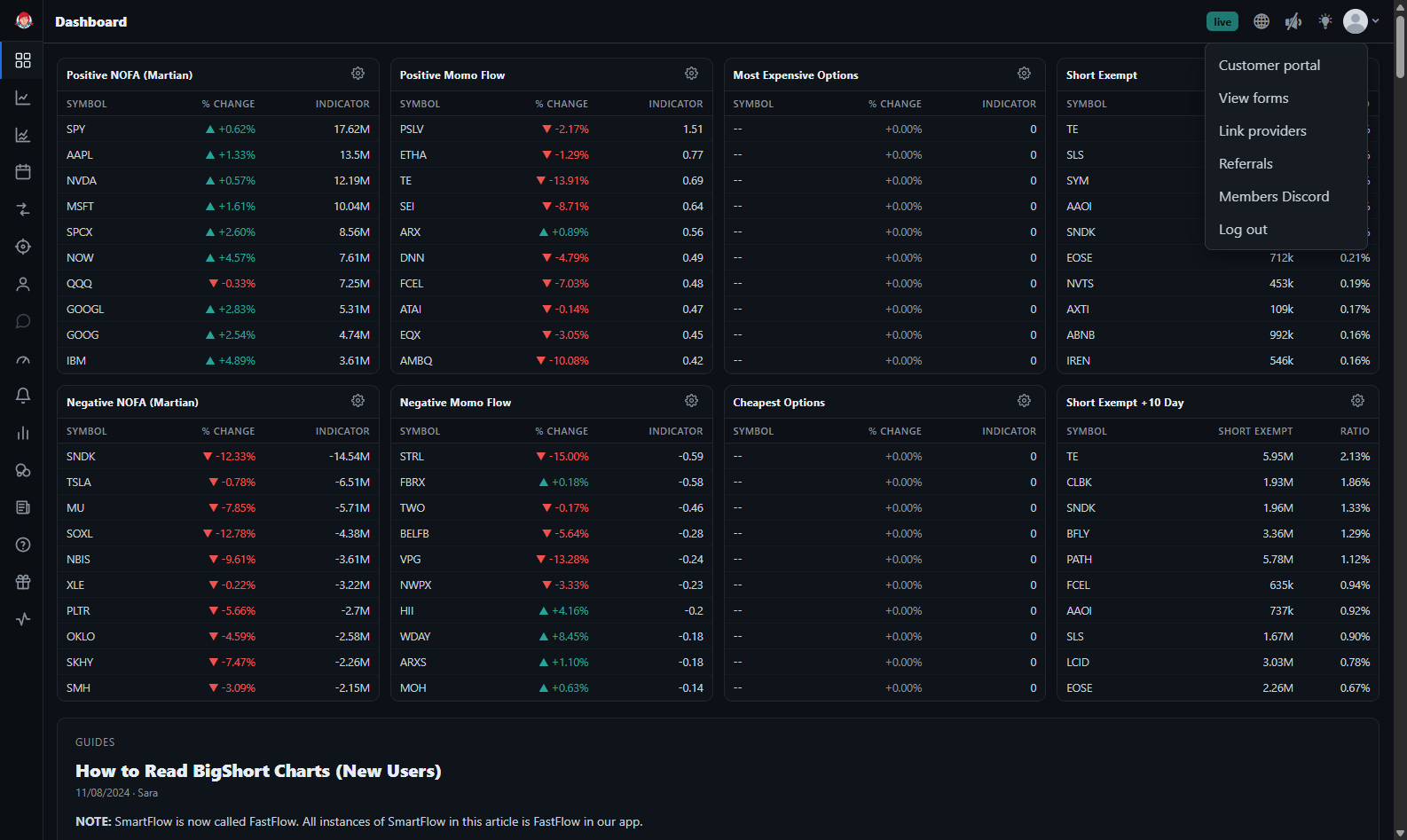
Then follow the prompts. Once you've completed the prompts, you should be able to see these additional channels:

Please stick to the topic of each channel! We discuss charts and trades in real-time here, so we highly recommend joining. The #official-tae-recs channel is where Tae makes his trading recommendations, currently the channel boasts a 100% win rate.