Quantum Badger: The Orange Line in the Quantum Cobra Pane
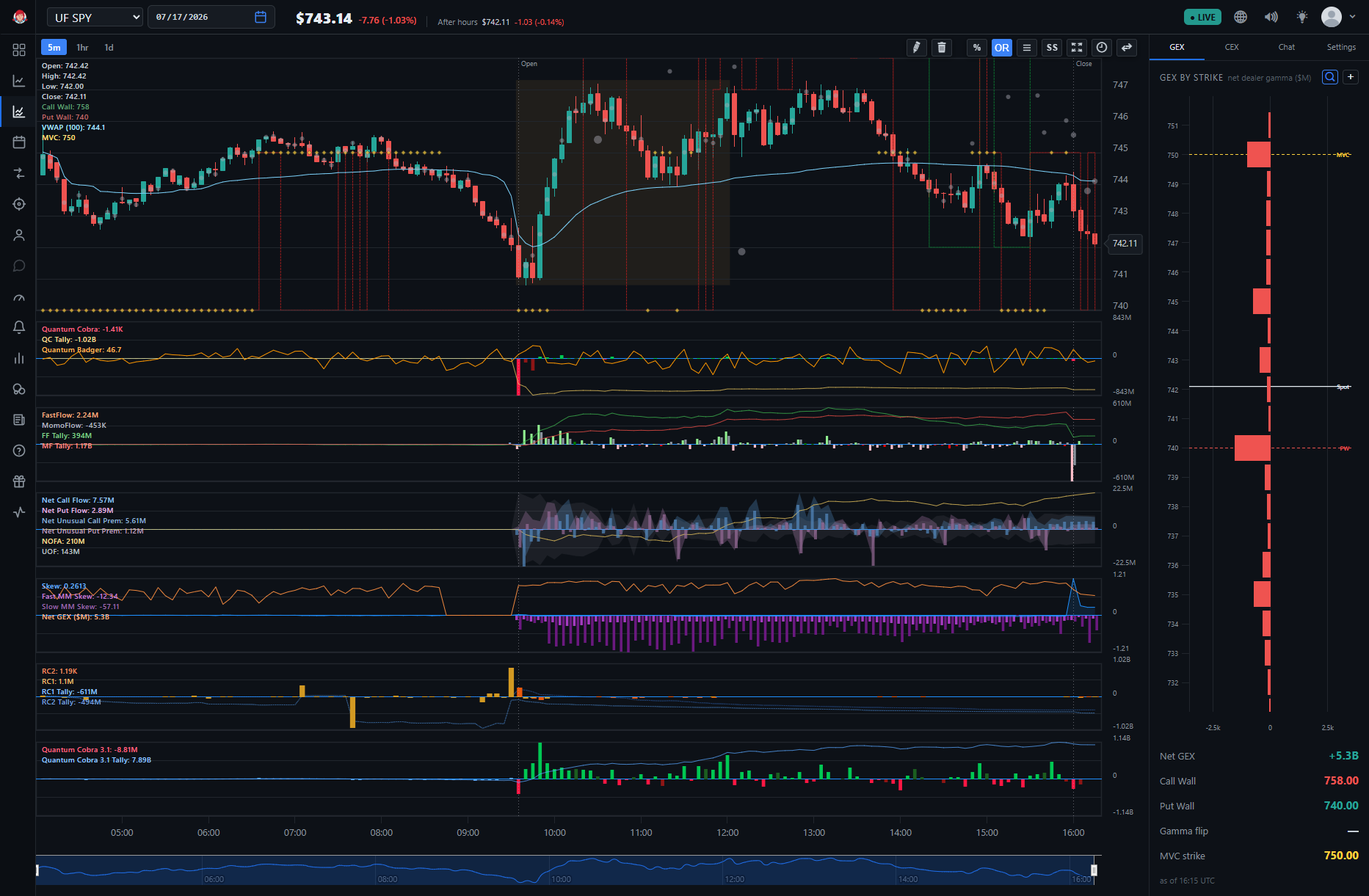
Quantum Badger is a BigShort Elite indicator derived from institutional / market-maker flow. It's a separate indicator from Quantum Cobra, but the two share a pane on the UF Chart: Quantum Badger draws as the orange line, Quantum Cobra as the green/red directional bars. Quantum Badger has no checkbox of its own — enabling Quantum Cobra turns Quantum Badger on with it.
Like the rest of the Elite set, it requires the Elite subscription tier. If you're logged out, the app shows Elite indicator names with a Subscribe to unlock option.
📝 A note on names: Quantum Badger the indicator is not the same thing as a Honey Badger Day — the community day-trading setup scored on the Squeeze Meter tab. Similar animal, related idea — Quantum Badger is often described as a faster, intrabar read on the same logic — but a different, separate indicator. For the daily setup, see Honey Badger Day.
What It Is
Quantum Badger is a read derived from institutional / market-maker flow — the professional side of the market that the rest of BigShort's dealer and flow panes are built to expose. It's read the same way as Honey Badger Day — as BigShort community member hobotae put it, "you read it just like the hbd signal... when it's high (70+ish) then price goes up, and when it's low, price goes down": high readings point toward potential upside and low readings toward potential downside, just faster — updating within the bar instead of once a day.
How It's Drawn
- The orange line, in the same pane as Quantum Cobra's green/red directional bars.
- No checkbox of its own. Enable Quantum Cobra under ⚙️ Settings → BigShort Elite Indicators and Quantum Badger is turned on with it — it's a separate indicator, not something Quantum Cobra draws.
- It shows up by name in the UF Chart's indicator readout, so you can confirm it's active even though the settings panel never lists it separately.
🔎 Looking closer: This one-checkbox-turns-on-two pattern is a BigShort convention, not a quirk. On the main chart, the single Directional Dealer Stress checkbox also turns on DODS in the same pane. When a series appears on your chart that you never checked, bundling is usually why.
How to Read It
Focus on two things: extreme readings and significant changes in the line.
- Below 30 can signal potential downside.
- Above 70 can signal potential upside.
Watch for sharp moves toward either extreme, not just where the line happens to be sitting — a fast swing toward one side can matter as much as the level itself. Quantum Badger and Quantum Cobra agreeing — for example, an above-70 reading alongside an up-colored Quantum Cobra bar, or a below-30 reading alongside a down-colored bar — is generally read (per BigShort community members k_dog87 and beatdabest) as the stronger version of the combined signal.
Since it lives in the UF panel, Quantum Badger can only be used on indexes like SPY and QQQ. Read it together with Quantum Cobra's bars and Tally, and with the UF Chart's other panes, rather than as a standalone trigger. Confluence is king.
Where to Find It
On the UF Chart (app.bigshort.com/uf/UFSPY): enable Quantum Cobra under ⚙️ Settings → BigShort Elite Indicators, and Quantum Badger is turned on with it. It is not available on the main chart, whose Elite set is built around SmartFlow 3 and SmartFlow 3.1.
An Elite subscription is required; logged-out users see Elite indicator names with a Subscribe to unlock option.
- Quantum Cobra and Quantum Cobra 3.1 — the pane Quantum Badger shares, plus the Tally companion view
- Ultraflow (UF) Chart — the chart where Quantum Badger lives
- Dealer Lean, Directional Dealer Stress, and Panican — another example of BigShort's bundled-series pattern (the DDS checkbox also turns on DODS)