🕭 What the Hell Is Spodin?
What is Spodin?
Spodin (short for Spear of Odin) is our proprietary closed-system alert; with it, you can set personalized price alerts that are sent directly to your phone via call or text when specific price levels are reached. By using Spodin, you can rest assured that your price alerts remain confidential and secure, which eliminates the risk of your trading intentions being exploited by market makers.
How to Access Spodin
Open Spodin from the main navigation (app.bigshort.com/spodin.html).

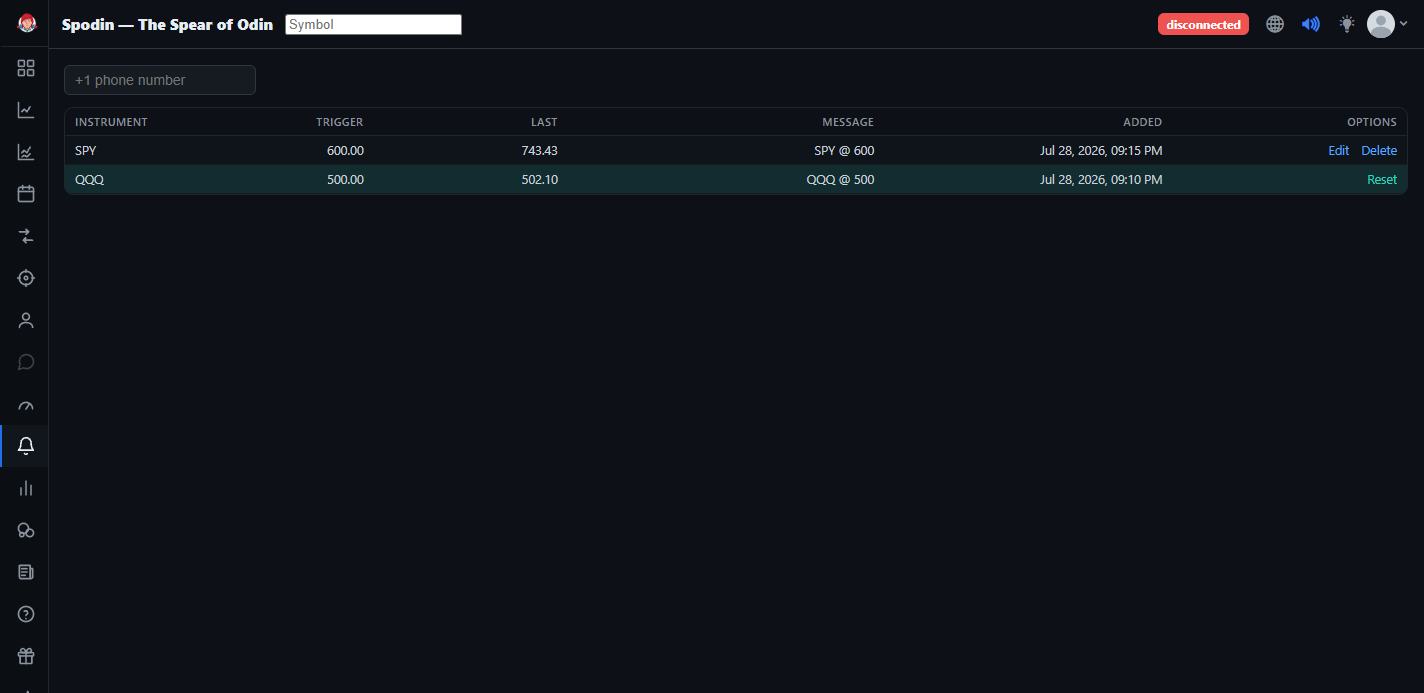
Your alerts appear in a table with columns for INSTRUMENT, TRIGGER, LAST, MESSAGE, ADDED, and OPTIONS.
Add your Phone Number
Be sure to add your phone number (including the +1 country code) so you receive your SMS alerts.
How to Set a Spodin
In the "Symbol — Enter to add an alert" box, type your desired ticker.
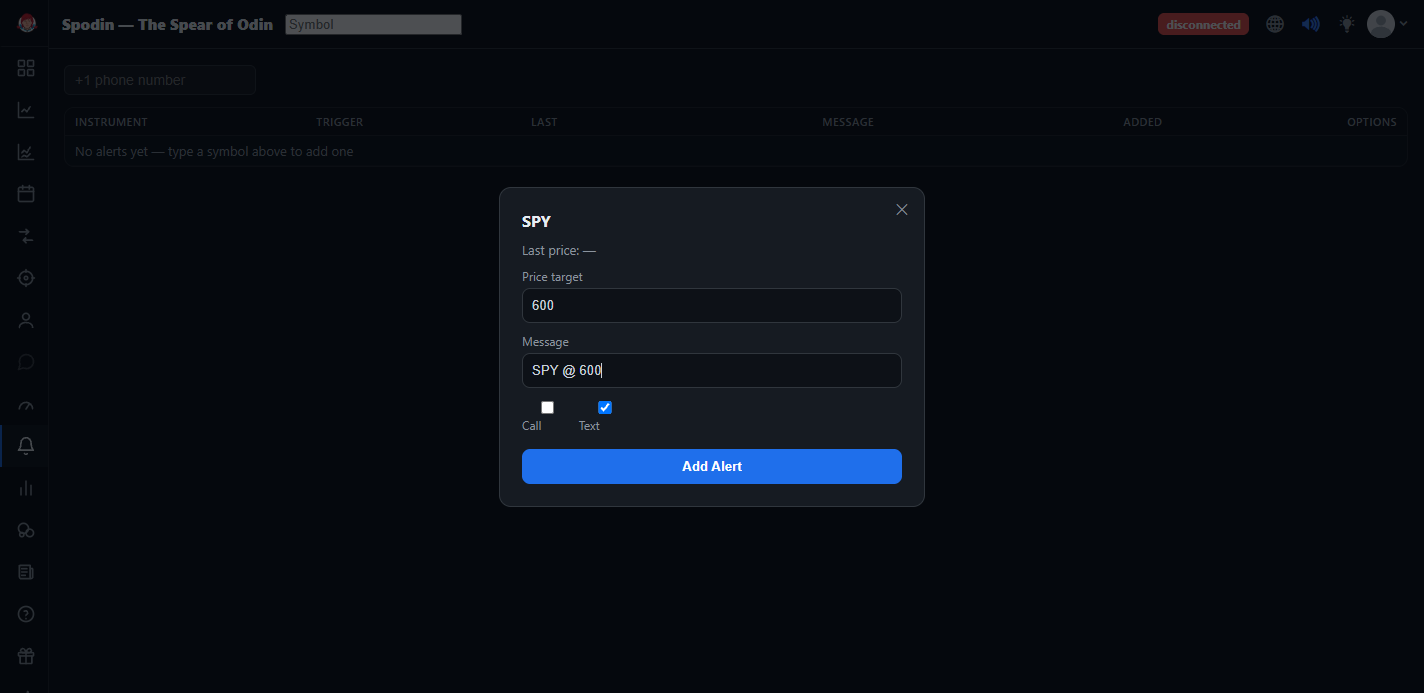
Press Enter to add the alert. Then set the price target and the message you'd like to receive when that ticker trades at that value. You can choose whether you'd like Spodin to call, text, or both. Then click "Add Alert."
How to Reset a Spodin
When the price target of the Spodin is hit, you'll receive a call/text to the phone number you added. The triggered Spodin will be highlighted in teal, and will not alert you again. You can choose to reset the Spodin, meaning you'll receive another call/text when that price is hit, by selecting "Reset" under Options.
How to Edit a Spodin
If you'd like to edit an existing Spodin, hit "Edit" under Options and type in your new price target.
How to Delete a Spodin
If you'd like to delete an existing Spodin, simply hit "Delete" under Options and your Spodin will be removed.