▦ Dashboard & Top 10s
Dashboard Overview
The Dashboard tab on BigShort displays a set of Top 10 lists that traders can use to quickly orient themselves during the trading day. Alongside the Top 10s, the Dashboard also includes BigShort's in-app "How to Read BigShort Charts" guide for new users.
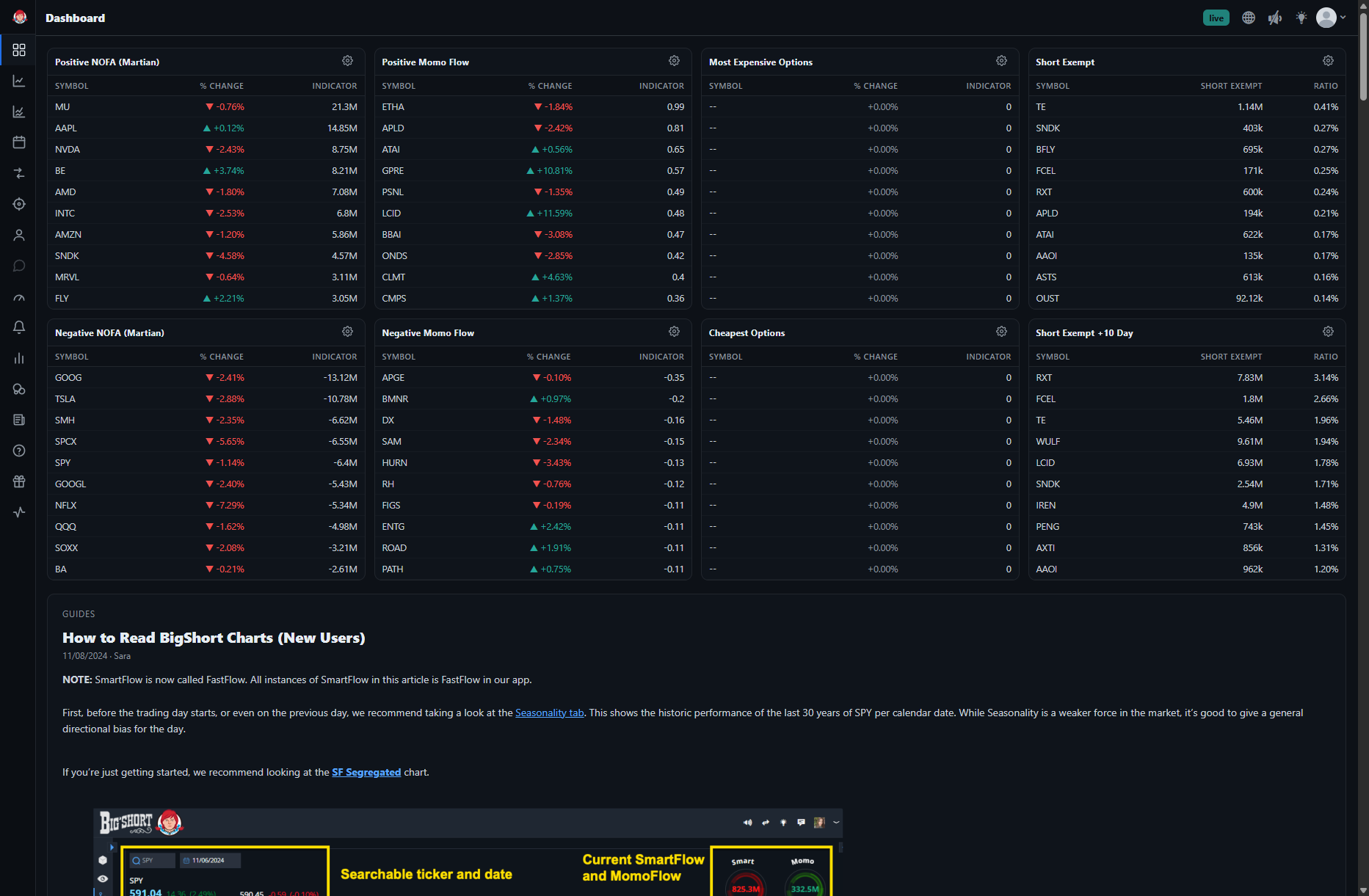
The Dashboard shows eight Top 10 panels. By default these are Positive NOFA (Martian), Positive Momo Flow, Most Expensive Options, and Short Exempt across the top, and Negative NOFA (Martian), Negative Momo Flow, Cheapest Options, and Short Exempt +10 Day across the bottom. Each panel can be swapped to a different list using its Change list button, so you can tailor the Dashboard to the signals you follow.
💡 Tip: Each ticker is clickable and takes you directly to that ticker's main chart (e.g. app.bigshort.com/chart/SPY) so you can dive into further analysis.
NOFA and MomoFlow Panels
The Positive NOFA (Martian) and Negative NOFA (Martian) panels display the 10 tickers with the largest positive Net Options Flow Accumulation (NOFA) that day and the 10 tickers with the largest negative NOFA. The Positive Momo Flow and Negative Momo Flow panels display the 10 tickers with the largest positive MomoFlow that day and the 10 tickers with the largest negative MomoFlow. This quick glance at tickers with significant action can help traders start their research into potential trading opportunities and save significant time searching through your favorite tickers.
Short Exempt
The Short Exempt panel shows the 10 tickers with the highest short exempt activity. The tickers are ranked by the ratio of Short Exempt to Shares Outstanding.
The Short Exempt +10 Day panel shows the 10 tickers with the highest short exempt activity over the preceding 10 trading days. This gives traders a quick view on extended short exempt activity and helps identify newcomers to the upper list.
Short Exempt also has its own dedicated view on the Short Volume tab.
Manipulation
Using a panel's Change list button, you can switch it to show the top 10 tickers by their amount of manipulation in the positive direction or the negative direction.