How Do I Find Good Trades?
It will take you longer to read this explainer than to execute the strategy once you've learned it.
Sometimes when you login to BigShort, you know what you want to trade. But what about the other times? You have some time, you want to make some money. But you're not sure where to look.
Here we share a tried and true way to screen for strong stock trades in 5 min or less. Let's get to it.
💡Tip: First off, and this is important, we suggest NOT trading if there isn't a clear trade to take. More money has been lost by bored traders than by almost any other method in history. Don't force it.
But before giving up for the day, BigShort makes it super easy to find other trading ideas you might have overlooked.
First Step - Check the Dashboard tab
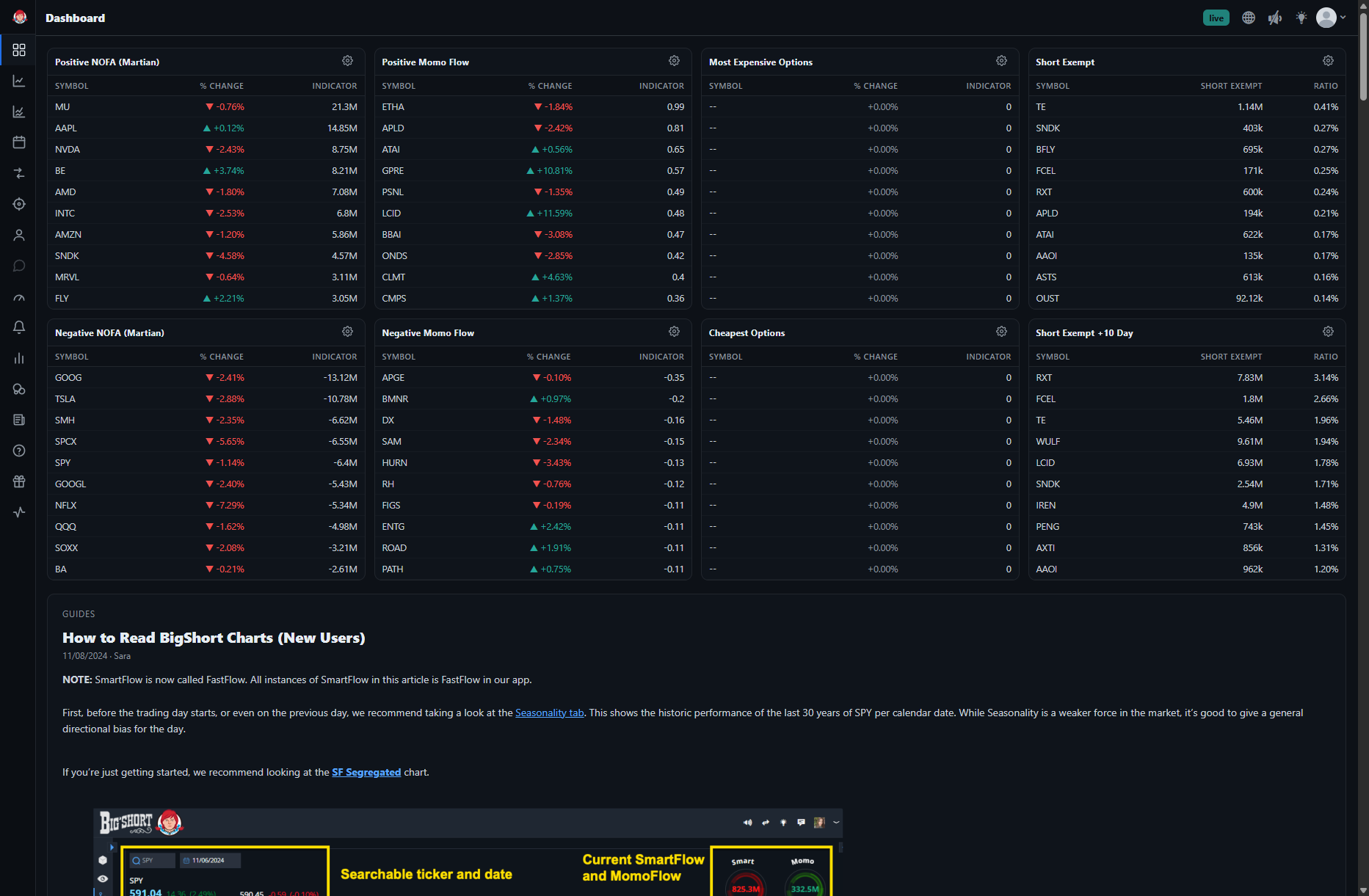
On the dashboard tab you'll find:
-
Left - Top 10 NOFA - the cumulative measurement of Net Options Flow activity
-
Center - Top 10 Positive MomoFlow or SmartFlow - toggle between the two by clicking the panel's gear icon
-
Right - Top 10 SE - stocks with the highest short exempt volume
These show you real time insight into what tickers have heavy activity - these are great trading ideas. To dive into each ticker, just click and you'll be taken to the chart with that ticker loaded up, ready to analyze and trade if the signals support it.
Second Step - Check the OptionFlow tab
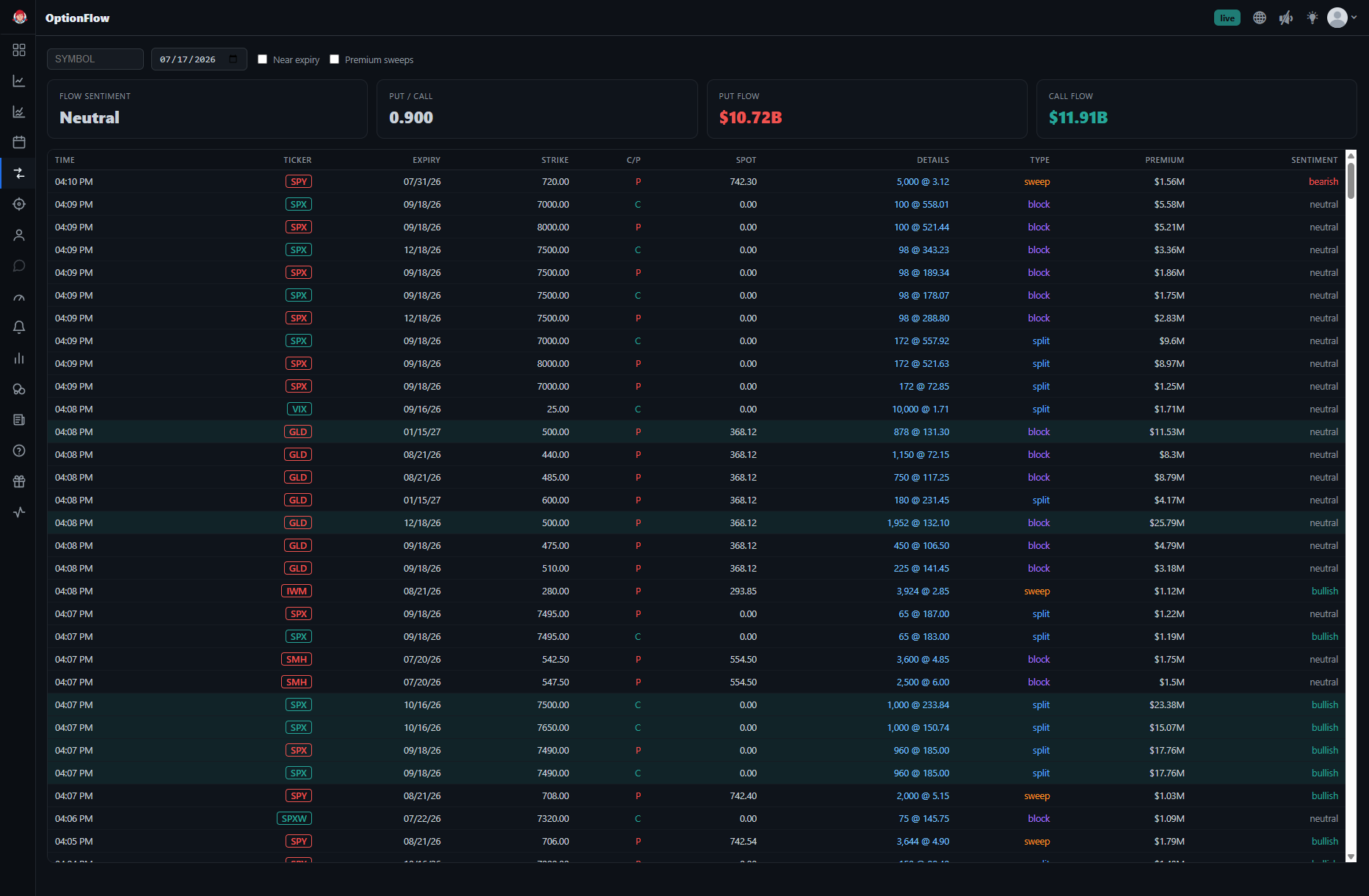
On the OptionFlow tab, you'll find:
-
A list of the major options trades going on in the market right now
-
The ticker, the details, the size, the direction (bullish, neutral, or bearish)
-
Across the top, you'll also see a readout of the current state of the options market.
There is simply no better way to sift through large options activity in the stock market than the BigShort OptionsFlow tab.
Here you can quickly see what the big trading shops are up to, what stocks they're playing with, how aggressively, and, by clicking on the ticker, you can immediately dive deeper and identify if a trade is on.
Many BigShort traders spend their day watching OptionFlow and using big moves as an impetus to trade.
Third Step - Watch the Dark Pool Prints
Once a ticker from the first two steps is loaded on your chart, watch the grey dark pool dots printed directly on the price pane:
-
Each dot is an off-exchange trade — hover it to see the price and volume
-
Clusters of prints at a price level often act as support or resistance
-
The app plays an audio alert when a significant dark pool print lands
Dark pool activity gives BigShort traders immediate insight into what the big money traders are doing off the lit exchanges—Great fodder for confirming (or vetoing) a trade idea!
BigShort Makes it Easy
BigShort makes it super easy for traders to find new trading ideas. Follow the three step process above, to quickly get new trading ideas, then dive into the ticker on the chart to plan your exact entry.
⚠️Need Help?
Please direct all Support-related questions and issues to the BigShort Discord Community.
These channels are monitored by staff and helpful users alike:
Learning how to trade using BigShort in BigShort-Tutoring
Technical Support issues can be addressed in Technical-Support